Showing posts with label digital divide. Show all posts

March 2, 2011

Health Literacy Computer Class

We recently completed our first computer literacy course of the year, and the first one in our new expanded Northwest Center facility!

The most apparent difference was that the class could make use of the new (and very large) Bread for the City conference room, which is much more conducive to these kinds of large gatherings with lots of technology.

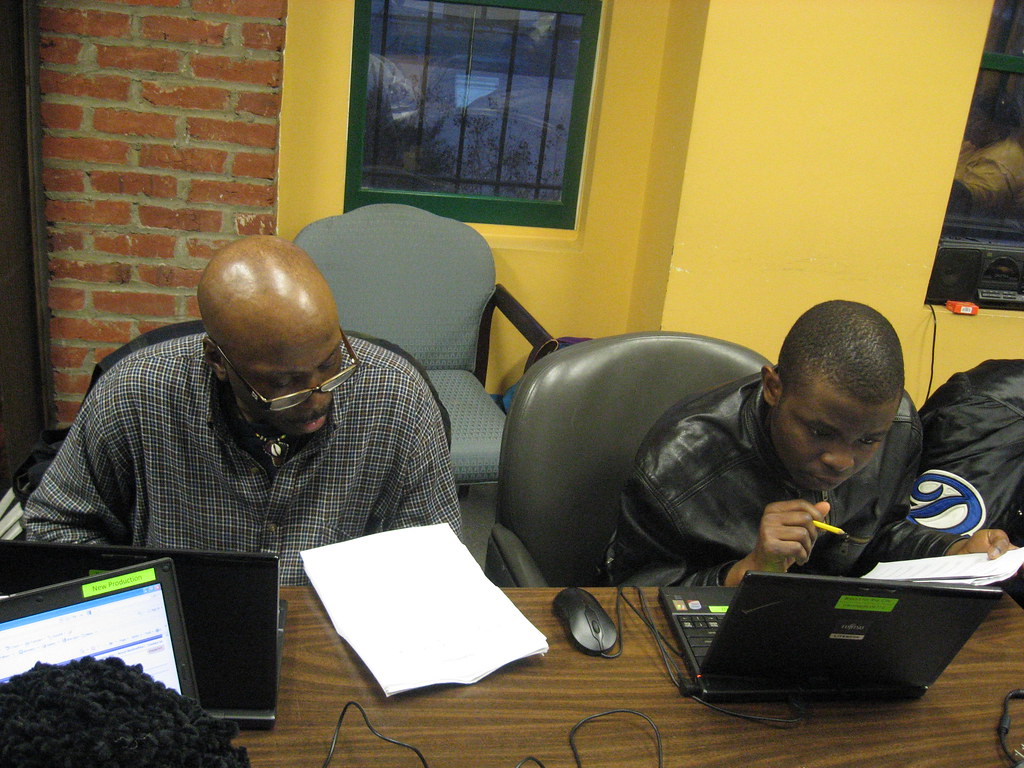
More subtly, we continue to change our class format. One year into this experiment, we have a better sense of what our clients’ true needs are, and what will capture their interest. So this iteration of the class focused a lot more on creating email accounts and learning how to use them.
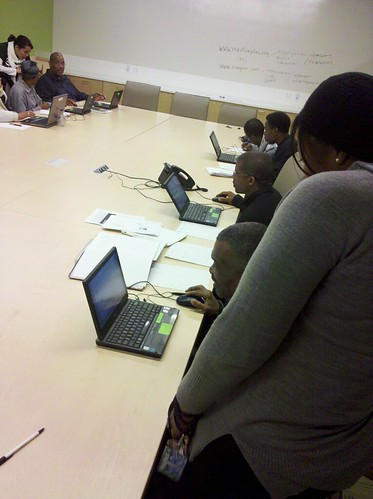


Folks were truly impressed with the instantaneous nature of this medium, and started to get a sense of how fast information travels now.

We’re still learning, of course. Though the expanded space in the conference room is certainly welcome, I’ve noticed that a bigger group of students is not always better. People come with different experience levels, and therefore have different kinds of questions, which threatens to leave those who are less experienced feeling behind and intimidated.
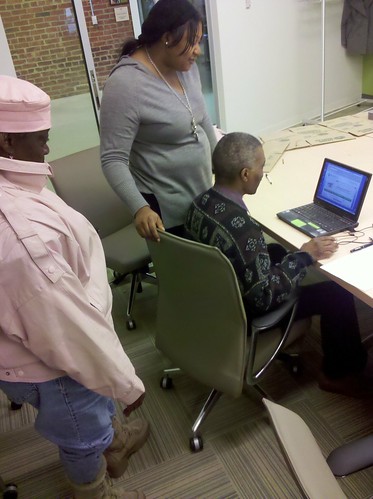

This is really demonstrated by one of my favorite success stories from this class. Ms. B was new to our class, but told us she had already taken a few other computer classes at other places. So we initially paired her up with a partner who had a good amount of experience already. But eventually we noticed that he tended to do all of the work himself. Ms. B didn’t complain about that at all -- in fact, she insisted that she was happy to just watch. But I soon realized that Ms. B was very, very shy -- and she needed to have her own space to be able to learn.

As it turns out, the other computer classes had just moved at a speed that Ms. B wasn’t totally comfortable with, and she also wasn’t one to ask for help. So I set her aside with her own computer and worked with her one-on-one. That’s when she started picking things up! She just needed some hand-holding to get over those first hurdles. By taking time and bringing patience to her education, she was able to learn all kinds of fundamental concepts that we might sometimes take for granted, like double-clicking, and the concept of user names and passwords, ‘@’s and ‘.com’s.

Ms. B even left the class with her own email account, which she says will help her apply for jobs. She’s also excited to be able to keep up with her grandson, who has tried before (without success) to communicate with her by email. And I’m sure we’re going to see her back here at the next class.

Over 12 class participants received certificates for the completion of this 5-week course. We’re expanding our class offerings, too - we’ll have at least three classes happening simultaneously now that we’re in the new space. Stay tuned for more updates!

January 31, 2011

Introducing: Our Health Resource Room!

By Tonya Hamilton of the DCPCA Health Corps, along with Liz Nafziger of the Mennonite Volunteer Service.

One of the most exciting rooms in our new medical clinic doesn’t have any medical equipment in it. Instead, it’s filled with computers!

Ri, an Avodah corps member, sits in our new health resource room.

We believe that access to the internet is a critical component of health care today. After all, the pursuit of healthy living is really an educational process. Today, immense sources of knowledge are available to people -- if they are able to access it. With our new health resource room, we can now facilitate that access on site here at Bread for the City.

As of last Thursday, the room was open for use!

Here’s how it will work: when clients meet with our providers, they’ll have conversations about health issues that they’ll want to follow up on afterwards. Clients can then visit the health resource room while waiting for their lab results or vaccinations -- or even just on their own time. There they can browse the internet and print out relevant information for reference later.

The resource room will also always have a friendly face on hand -- volunteers who can provide guidance in using computers and browsing the internet. Right now, we’re happy to have the involvement of supervolunteer Marie Hoffman, as well as students from George Washington’s ISCOPES program.

“To my knowledge, there aren’t many clinics out there that have a resource room like this,” says Marie. “And that’s stunning to think that we’re ahead of the curve. But it seems so obviously important!”

On its first day open, about 6 clients came through to use the facility. (We expect that number to increase in the future.) While waiting for labs I asked clients would they like to see what’s in the new health resource room, most were surprised and excited. One lady was initially scared to touch the mouse because she had never touched a computer before, and she didn’t want to break it. After I briefly orienting her with the basics, she grabbed the mouse and jumped right in. Together, we navigated Medline Plus to find articles and even instructional videos. She was stunned at all the things she could learn.

In the rest of the day, I helped people interested in learning more about warts, asthma, blood clots, and dietary guidelines for specific medication. One man, after researching his dental issues for a few moments, asked us to help him practice the questions he would ask his dentist during an upcoming appointment. Several patients were even more interested in researching the health issues that affect their loved ones.

The information one finds on the internet can’t truly substitute from the care people receive in our clinic, but it can empower clients to take responsibility for potentially-complicated health issues like hypertension into their own hands. It’s a great complement to our new computer literacy classes, and an opportunity to generate discussion -- in the resource room and in the community at large -- about how we live healthfully.

We look forward to sharing that discussion with you!

—Tonya Hamilton

January 19, 2011

Going digital: more learning with computers and the internet

When Dr. Randi asked me to pick up where our Computer Class left off last year, I was excited. I’ve logged some hours teaching my parents basic computer skills, and I even enjoyed it -- so I was eager to participate in this project. I even offered to help develop a class to be taught in Spanish.

Once a week during the month of November we met with a group of students, ranging in size from two to eleven people. Being adults and never having any kind of exposure to a computer, our students were very eager to learn. First, we covered basic computer hardware and then moved on to explore topics including the Internet, search engines, and what makes a website reliable. Toward the end of the month we focused specifically on diabetes and the process of researching health information online.

I’d say that the things our students were most interested in learning about were the things that their children are using, like Facebook and photo sharing sites. But we had an agenda, and stayed focused on learning how to navigate the Internet to find health information.

The main website that we used was Medline Plus, to search for specific information on health topics. It is a great teaching tool because it provides easy access to tutorials and offers easy to understand material via print and video. We even had them compare Medline Plus (which is published by the National Library of Medicine) with other less authoritative websites (like those produced by commercial or amateur parties), so that they could consider the trustworthiness of internet sources.

By the end, participants no longer approached the computer with timidity. The students realized that it takes practice to learn something new, but that they also have incredible potential and will continue to improve their computer skills as they continue to practice. And they were proud.

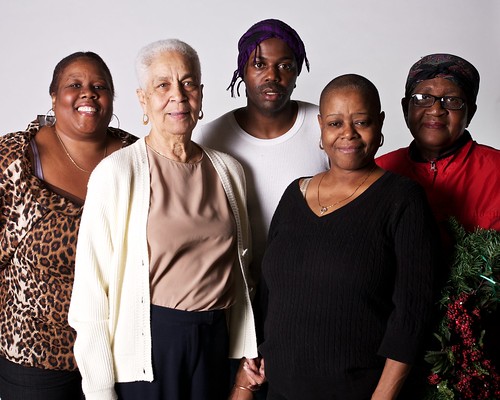
Students from our computer literacy class, on the day of their "graduation."

“I’m coming back for classes in January!” was often repeated during our last session, when we awarded them with a Certificate of Achievement signed by Dr. Randi. In the English speaking group, our graduation party turned into a true celebration as one of the students had decided to cook food for the whole class!

Student feedback was generally positive, but it also voiced the need to focus on another aspect of computer and Internet use: how to set up and use an email account. Maria Hernandez noted, “these days, everyone is asking you for your telephone number and your email.” It’s important, then for the students to know how to create email accounts so that they can take advantage of job opportunities. “I hope to maintain employment,” LaDonna Grinage said, "and to stay in contact with family and friends, too." So we will be sure to incorporate email as a primary focus of our future classes.

In the future, as we settle in to our expanded Northwest Center, we’ll have access to a new conference room and even better equipment -- much more appropriate for a curriculum like this. People are already signing up even though we haven’t announced dates yet! It’s a service that we hope to provide more of in the future.

March 23, 2010

Learning computers to learn about health

Bread for the City's new Computer and Health Education Class has completed its first session, and its students have come a long way. The course teaches basic computer literacy with the ultimate goal of accessing reliable health information online, and Vince Hill, Bread for the City's Americorps volunteer who has helped lead the class, was amazed at how quickly the students soaked up this information.

"At first, people looked at this piece of equipment like alien technology," he said. "By the third course, they, without prompting, came in, plugged in the power cord, mouse, booted up and brought up Google!" Clients have been meeting once a week to use our computers to access the internet, something they've never been able to do at home (the average income of our clients is $7,000, and few could afford their own PC and ISP).

The class is co-taught by two of Bread's own clients and volunteers, Michelle Washington and Susan Berger.

Michelle used to be an elementary school teacher and recently started collecting computer donations to teach PC-literacy to her neighbors. "I was teaching it out of my apartment--to seniors. Seniors were expressing an interest in accessing the internet." In fact, older students in BFC's class have brought in their younger relatives to let them teach their elders what they already know about the internet.

Now, in addition to teaching our course, Michelle has also offered to drive students to Project Reboot in Rockville, Maryland, to pick up a cheap refurbished computer.

Susan used to teach computer courses at the Martin Luther King, Jr. Library, and was an IT coordinator for charter schools, and is now helping our clients become comfortable with the machines. She starts by pointing out all of the hardware, the buttons, the drives and the mouse, and saying, "Do not fear this!" Susan says that fear of breaking the machines or using them incorrectly keeps many beginners away, as computers appear to be very fragile and very expensive.

One of the students, Dorothy Kemp, was held back for years from using this technology because of a horrible work experience. After a coworker lost a very important document while working on the computer, which almost resulted in their termination, she resolved to write everything by hand and stay away from computers all together. After exploring for only a few weeks what computers have to offer during our class, though, she realized what she has been missing.

People were thrilled to overcome this initial barrier to information but are still ready to learn more. Vince says that "people feel so empowered when they can find information for themselves or their family members. People are really hungry for this access." One of our students, Debbie Banks, recently went to Project Reboot and picked up her very first personal computer. “I’m so thankful," she said, "because even though this class is going to end, having this computer will keep me going on practicing, and will help me out try to get to back in school”.

Bread for the City is doing its small part to address the drastic gap in information access caused by the "digital divide," but there's a lot more work to be done. Roughly 40% of Americans still don't have internet access at home, and while other organizations like Byte Back, Project Reboot and First Time Computers tackle the issue head on in the District, many DC residents still don't own computers or don't know how to use them. And even before people can use computers, they have to know how to read, and adult literacy is an entire issue itself, especially in DC. Nevertheless, courses like ours provide extremely useful and needed education to the many low-income workers who have never had the chance to experience computers regularly.

February 25, 2010

Information Superhighway to Health!

Here at Bread for the City, health care isn't just about treatment. It's also about learning how to live healthier lifestyles. But it's impossible to learn everything there is to know in the space of a doctor's visit, so we work hard to help our clients learn how to educate themselves about health issues.

Fortunately, there is an incredible amount of information about health available today -- if you know how to find it. Unfortunately, most of our clients don't have access to the great source of this information: the internet. So we've begun to consider an additional step in the educational process: one of the most effective ways for our clients to become health literate is by becoming computer literate.

Dr. Randi Abramson, BFC's Medical Clinic Director, has recently initiated a long-term goal of hers: a computer literacy program. "Having access to health information empowers clients to understand and take control of their own disease," she says, "which is especially important when our clients feel so powerless in other areas of their life."

Understanding diseases like diabetes or hypertension dispels myths about them and allows patients to take control of their condition through means like diet and exercise, rather than simply accepting their disease as unavoidable and untreatable. We're pleased to announce that our new Computer & Health Education Class invites just such self-empowerment.

This new project has largely been made possible by George Washington University's Health Information Partners program, directed by Karyn Pomerantz. GW has supplied Bread for the City with a grant to fund the project and training for the instructors.

The first of these courses covers how to turn the machine on, navigate the operating system -- and even the basics like using a mouse. The next class teaches students how to log on to the internet and use web browsers. After that, students start investigating websites that can give them reliable information about various health topics. They explore user-friendly websites that don't require high literacy, like Healthy Roads Media, which features short videos on topics like "Smoking", which are viewable in many different languages. Students have also discussed the credibility of information on various sites, and gravitated towards dependable sites like Family Doctor.org.

This process opens a lot of doors for clients, not only empowering them to make educated life/health choices, but also to take advantage of the rest of what the internet provides: e-mail, news, jobs, entertainment, etc. Since many of our clients do not have internet access at home or work, this has been a very popular new program. Check back soon hear more about what clients are getting out of the class.

January 27, 2010

Project Reboot: Bridging the Digital Divide

One of Bread for the City’s clients, Ms. H, is a TANF recipient and the mother of three children. Recently, she was unemployed but very interested in going back to school and in finding a job. Mrs. H had found an on-line college program in which she was interested, but she could not couldn't participate because she did not own a computer and could not afford to buy one. Many of our clients -- who have an average annual income of under $7,000 -- simply cannot afford to spend money on a computer, let alone internet service.

We’ve touched on the implications of the digital divide here before: without access to the internet, it becomes harder for low-income people to find a job, access important information, do their homework and the countless other things that wired folk take for granted.

It's a knotty problem, but as with most problems we have to start with small steps.

One of our favorite small steps is Project Reboot, a non-profit branch of the Capital PC User Group. Project Reboot is a volunteer project that recycles and refurbishes donated computers, and provides them to low-income DC and Maryland residents at a price that is manageable even for most of our clients: ten dollars.

Project Reboot provides about 250 computers per month to low-income clients, non-profits, charities, religious and education groups. Bread for the City refers a few clients each month to Project Reboot. These clients usually need computers for finding and applying to jobs, for job training, or for their children’s or their own schoolwork.

Mrs. H came to Bread for the City for assistance with her situation, and one week later she called her case manager back and thanked her, saying she had not only received a computer for herself, but that she was also eligible for an additional computer from Project Reboot for her children. Ms. H also reported that she had set up Internet service so that she would be able to start on-line college classes. She is now well on her way to earning her Associate’s Degree in Medical Billing and Coding.

This is a success story, but, of course, demand for services like Project Reboot far outweighs their ability to supply. There is also the need for basic computer skill training, provided in part by organizations like Byte Back. Bread for the City is about to announce some exciting details about our very own new computer training course, but these initial efforts can only just begin to bridge the digital divide. Expect more on the topic here in the future.

August 25, 2009

Street Sense gets Web Presence

Our friends at Street Sense have a great new website! The site was produced by Community IT Innovators (CITI). They’ve also recently launched a channel on a neat user-generated aggregation service called MIXX that culls homelessness news from all over the country. (You can find it through the “Homelessness Headlines” section towards the bottom of the front page.)

These are good steps forward. Street Sense’s street-vendor model is an innovative and popular way to engage homeless people in production and vending of their own publication, and each issue contains voices that rarely get heard even on the internet. Street Sense can now share its messages, beyond the street, as part of a broader dialogue.

For instance, we found out about this interesting program in an article called “Crossing the Digital Divide” by Laura Dean:

Helping homeless people become technologically savvy is the cornerstone of Lou August’s business partnership between his technology company, Wilderness Technology Alliance, and D.C.’s largest shelter, the Community for Creative Non-Violence (CCNV).

The idea behind the business model is to build a self-sustaining, technology company that is managed and operated by the homeless, while providing an outlet for D.C. businesses to take advantage of high-quality training programs and refurbished computer systems offered by WildTech-CCNV staff members.

The technology center located at the shelter provides training classes, job search skills, software training classes and Internet access to the nearly 1,000 residents of the shelter. The benefits of the technology classes offered at CCNV reach far beyond the people that reside at the shelter. A $99 computer class is offered every other Saturday to low income residents of Washington, D.C. WildTech-CCNV endeavors to give each participant who completes the class a free, refurbished Pentium-4 computer.


Sounds like a promising attempts to address the Digital Divide problem we discussed here last week. If you’ve had experience with this program, or are aware of similar programs that we should check out, let us know!

August 19, 2009

Who's Left Out Of The Netroots?

At Netroots Nation 2009, more than a hundred caucuses, panels, and workshops grappled with an overwhelmingly broad spectrum of issues: new media strategies, web organizing tactics, and all kinds of modern progressive thinking. But as I wrote on Monday, there wasn't much being said about poverty and the empowerment of poor Americans.

The primary reason for this is very simple: poor people don't attend these conferences, and they're not participating in the netroots' movement. That simple reason is symptomatic of a very complex problem.

To the conference's credit, there was a lively panel about exactly that: "Who's Left Out: Taking a Critical Look at Online Organizing" was organized by Campus Progress, moderated by Erica Williams, and tweeted about profusely by participants (via the #leftout hashtag).

The panelists started off by pointing out that people engage with the internet in patterns that reflect their stations in "real life." As a result, the internet is stratified in ways that mirror real life -- and the nature of your engagement is shaped by your class, race, sexuality and so on. The kicker is that even though most everything on the internet is only a couple clicks away, it's even easier for users to lose sight of all the other different people out there in the world.

The danger to the many strands of social movement that coalesce every year around Netroots Nation is that they tend to talk to and agitate themselves, in virtual spaces where most Americans have never clicked a mouse. (For instance, panelist Matthew Hindman noted that porn sites get 100 times the traffic than the entire political blogosphere.)

From the perspective of campaigns that organize communities to move towards social change, this is a tactical problem with readily available solutions. "Left Out" panelists and participants pointed to a number of ways in which organizers can target their communications to reach people where they are: like text messaging campaigns, which can directly connect with huge numbers of people who don't often or ever access the world wide web, but who will engage via mobile device.

And of course there's the greatest example of internet-enabled social movement to date: the Obama campaign used the web to mobilize large numbers of people, who then went offline to organize much, much larger numbers of people, the largest numbers in recent American history. Many of those Obama supporters never visited a political website -- but they nevertheless showed up to help elect a liberal, wonky, African-American President.

Speaking from the crowd, Alan Rosenblatt of the Center For American Progress suggested that the real question we need to ask "is not 'who is being left out of online organizing?' but 'who is being left out of democracy?'"

You can find the answer to that here at Bread for the City. What's more, I think organizations like ours could play a key role in a solution to the problem. The question, though, is much trickier for us than it is for a campaign manager. Our mission is to help people. As we help meet their immediate needs, we also want to help empower them. But when the full extent of our resources are hardly enough to meet the those immediate needs, how can we help our clients actually engage in the virtual channels through which power increasingly travels?

The "Left Out" panel underscored how difficult this is. It's not just a matter of giving our clients access to extremely cheap desktop computers - we currently offer that opportunity through partnership with First Time Computers, but it's rarely used. (Few of our clients could even afford a monthly bill for dial-up, let alone know how to install and operate the machine.) Meanwhile, readers of this blog know that public libraries are embattled and endangered sites. It's not even a matter of just building more computer-capacity into our own facilities, since our clients often lack the skills that make computers effective tools.

We started this blog with the idea of creating a virtual space in which we could foster discussion about the realities of our clients' lives -- discussion that isn't happening in the media or elsewhere online. But the value of this space is limited by the fact that our clients themselves by and large won't access it. Where to begin solving this problem?

We don't have good answers to this question--yet. We're ready to start figuring it out.